I thought it might be fun to see what people have gravitated to on this blog when it comes to the weekly vlog/podcast I do under the title TradeshowGuy Monday Morning Coffee. The podcast is more or less a diary of my business and more broadly, the event and tradeshow industry, and beyond that, the business world. Or at least what interests me on any given day.
I don’t always have interviews on the show, but they’re always fun. I love speaking with industry colleagues and getting to know them, even though most of them are only “Zoom” friends, and we aren’t sitting down across a table for coffee!
Still, they’re enlightening and fun. Here are the top five most-viewed based on analytics looking back twelve months.
Number Five (we’re counting down to Number One!): Dominic Rubino of BizStratPlan.com talked about an easy formula for difficult business conversations.
Number Four: Phil Gorski of Ava-Nee Productions and his company’s VR approach to tradeshow exhibits (and other fun things).
The event and tradeshow industry is on hiatus and no one knows for sure when or how it will return. It’s the same with the music industry. Concert tours have been postponed or cancelled. On this week’s TradeshowGuy Monday Morning Coffee, I reconnect with Jay Gilbert of Label Logic, a Los Angeles-based company that works with artist management and a handful artists. I was curious to see how their company has been impacted, and how the music industry as a whole has been impacted by the COVID-19 Pandemic. Take a look/listen:
In the past few weeks, new stories have popped up on the New York Times, Reuters, National Geographic, and others about the COVID-19 Pandemic affecting the feasibility of an open office format in workplaces. It’s a good question and there are no easy answers.
An open office puts people, sometimes dozens of them (or more) into an environment where people work within a few feet of other. In today’s social distancing world, even as states and businesses work to get back to some semblance of normal, many employees will not be as enthusiastic about the open office as their managers might be.
Employee Anxiety Levels
A good manager will likely realize that the anxiety of their employees will range from one end of the spectrum to the other, and will go to lengths to provide safety, both physical and emotional, to their employees.
What does that mean on a practical level? For one, it might mean that many people continue to work from home. If it works, it may be the thing to do.
But other companies and other employees may be itching to get back to the office. Yeah, working from home has its bennies, but it also has its challenges: kids, neighborhood noises, spouses also working from home. Juggling all of those elements can’t be easy (I know from personal experience), and that may mean employees are leaning towards getting back to the workplace, where a more normal reality awaits.
Or does it?
Meeting New Needs
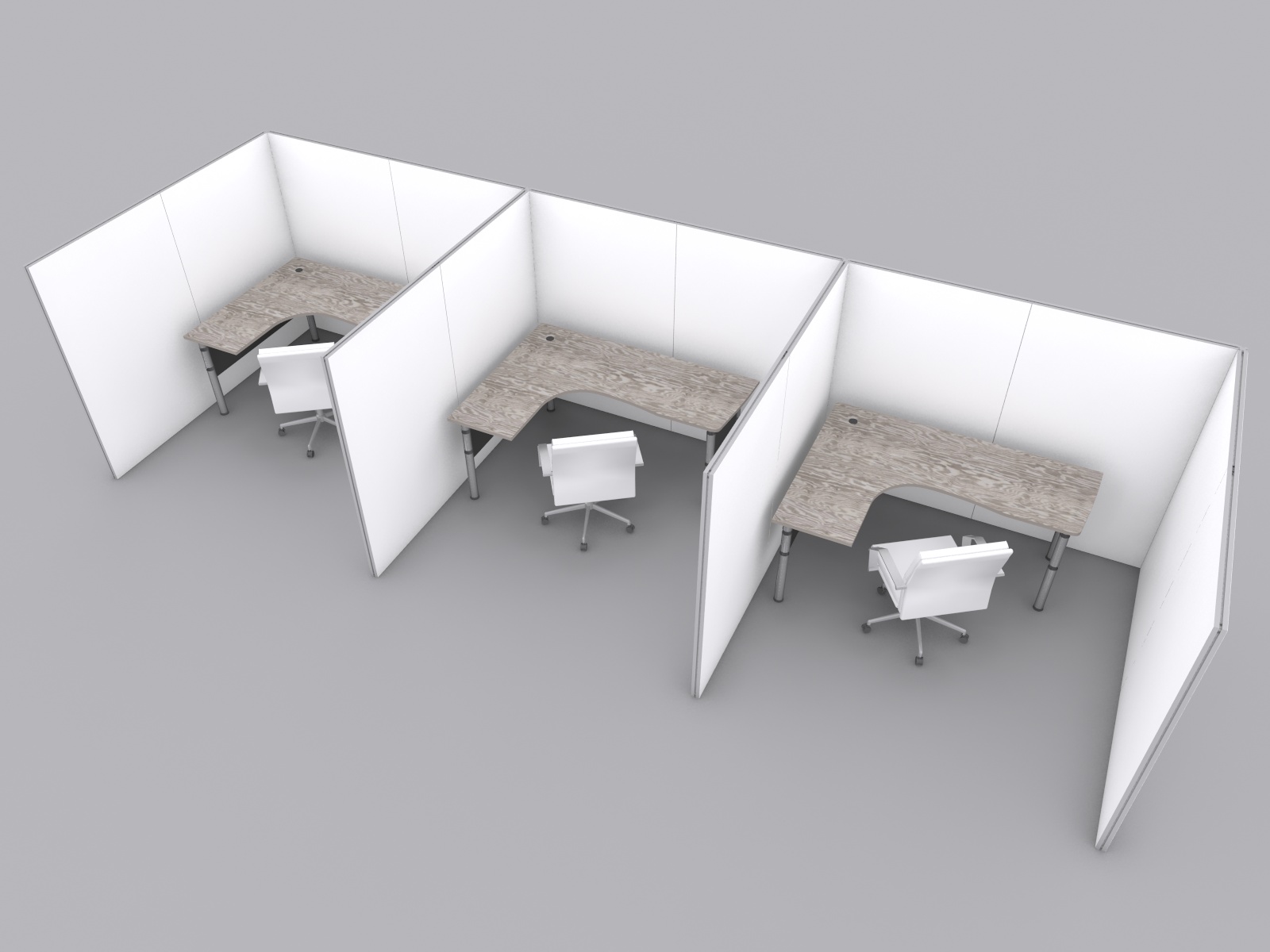
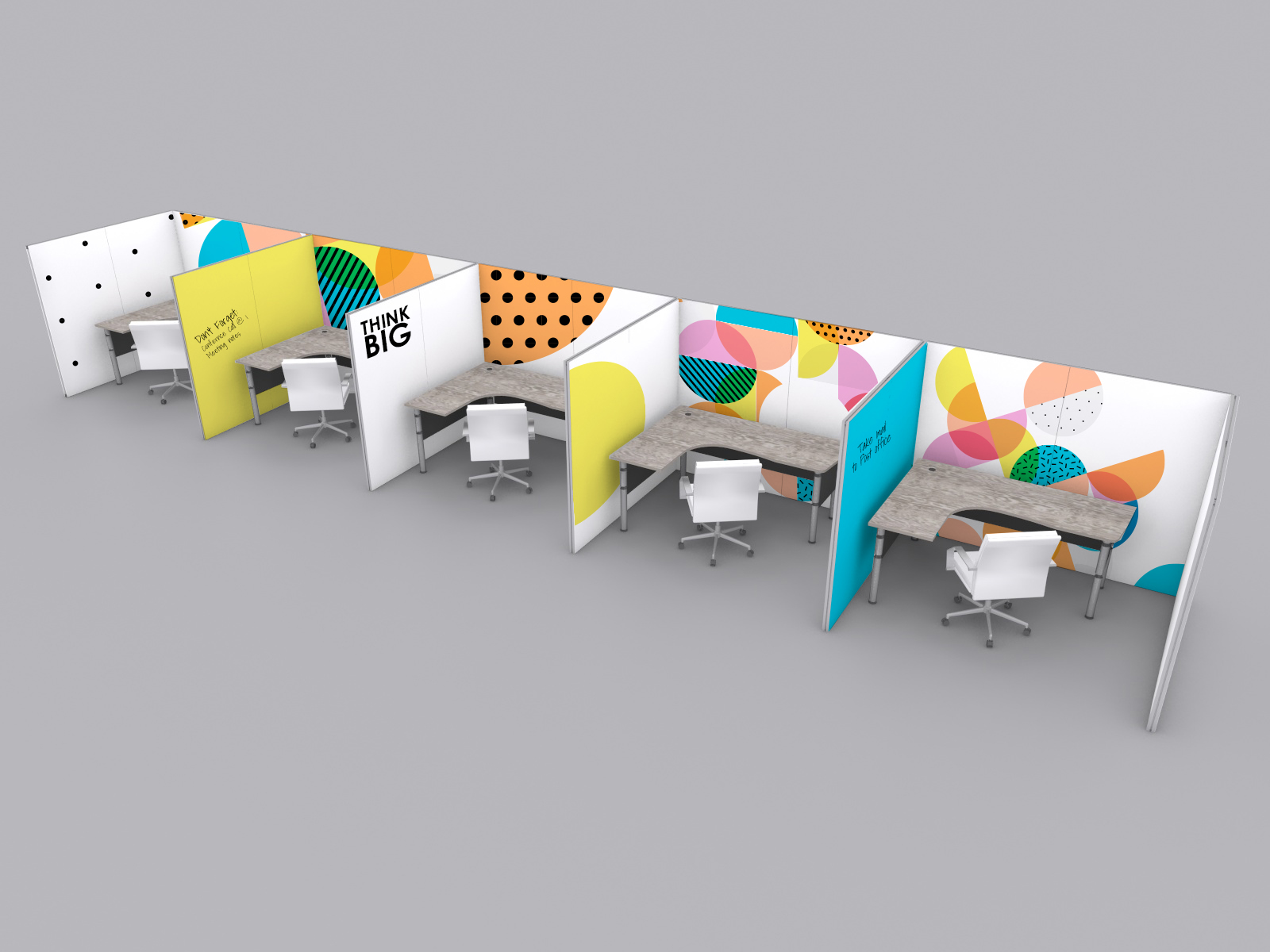
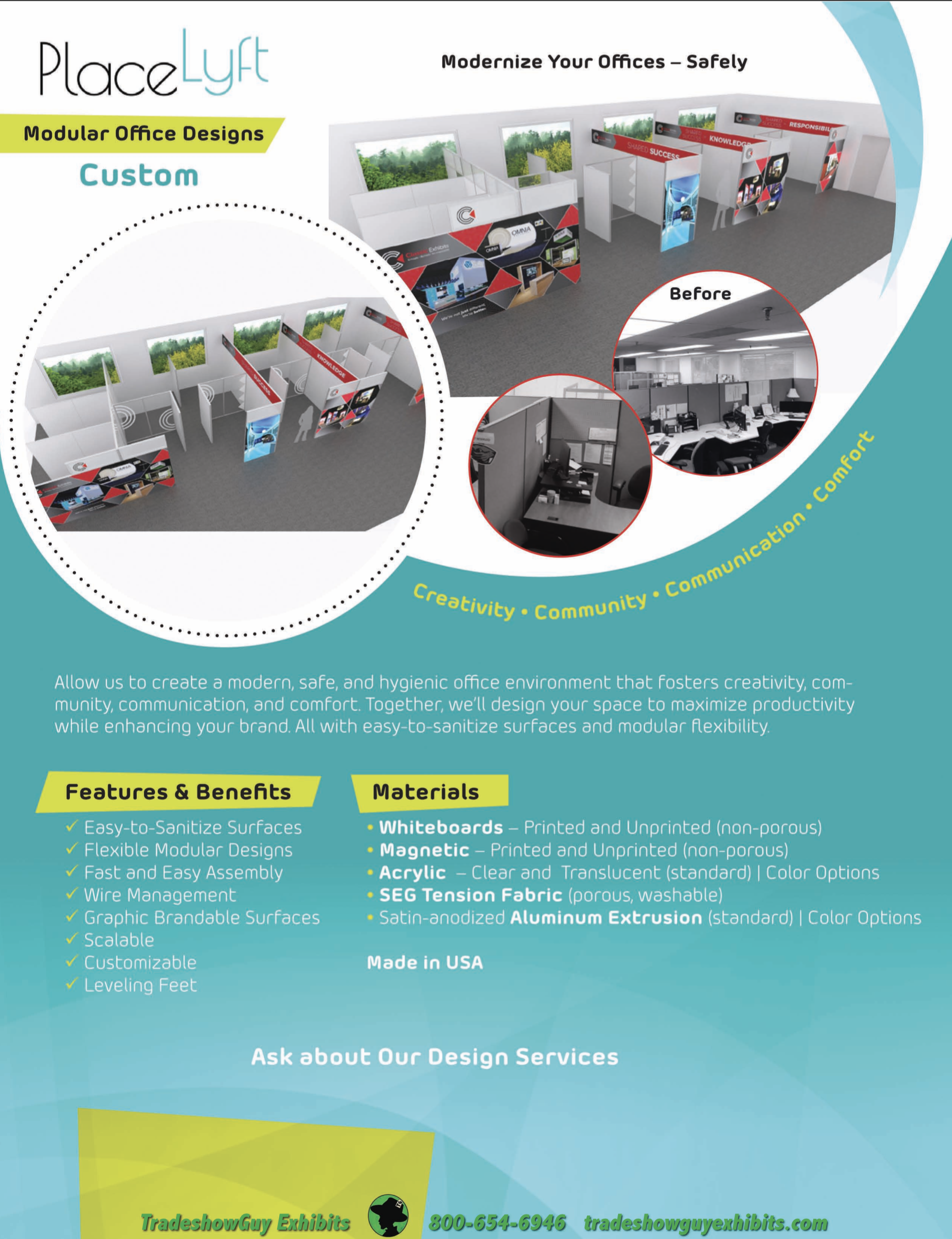
Companies and managers that are sensitive to the needs of the employees will no doubt be looking at ready-made solutions to separate employees. The old “cubicle” may come back in some form.
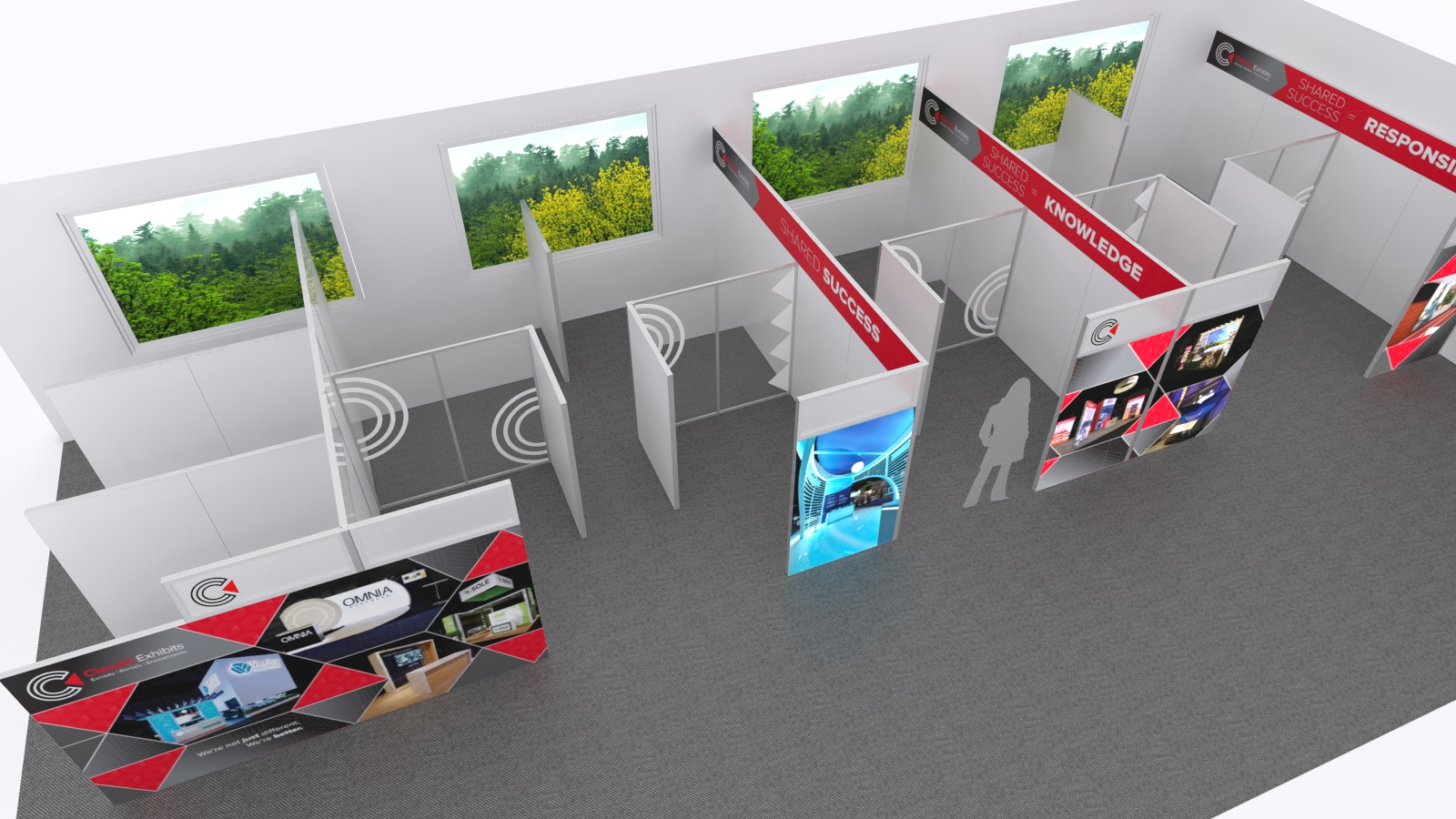
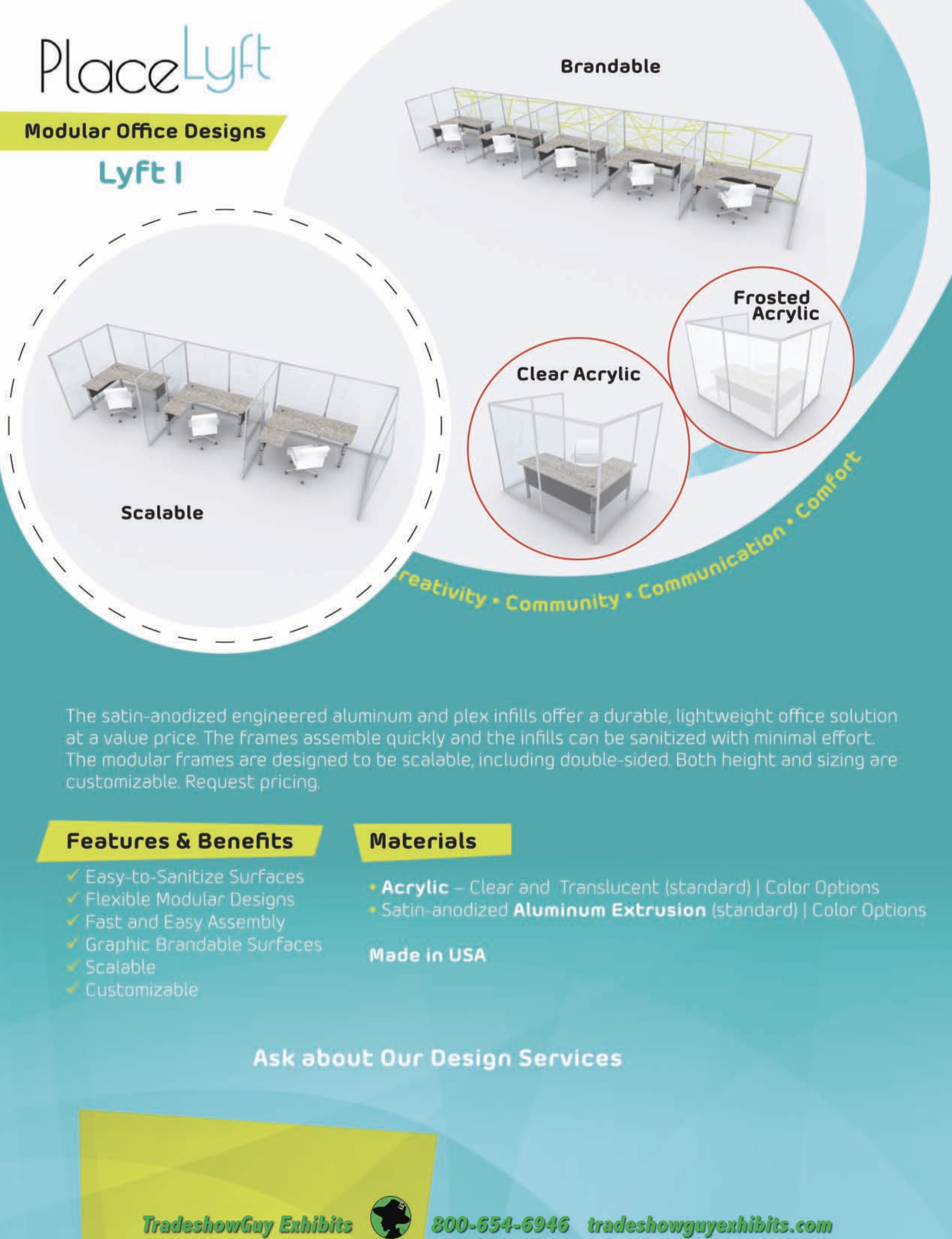
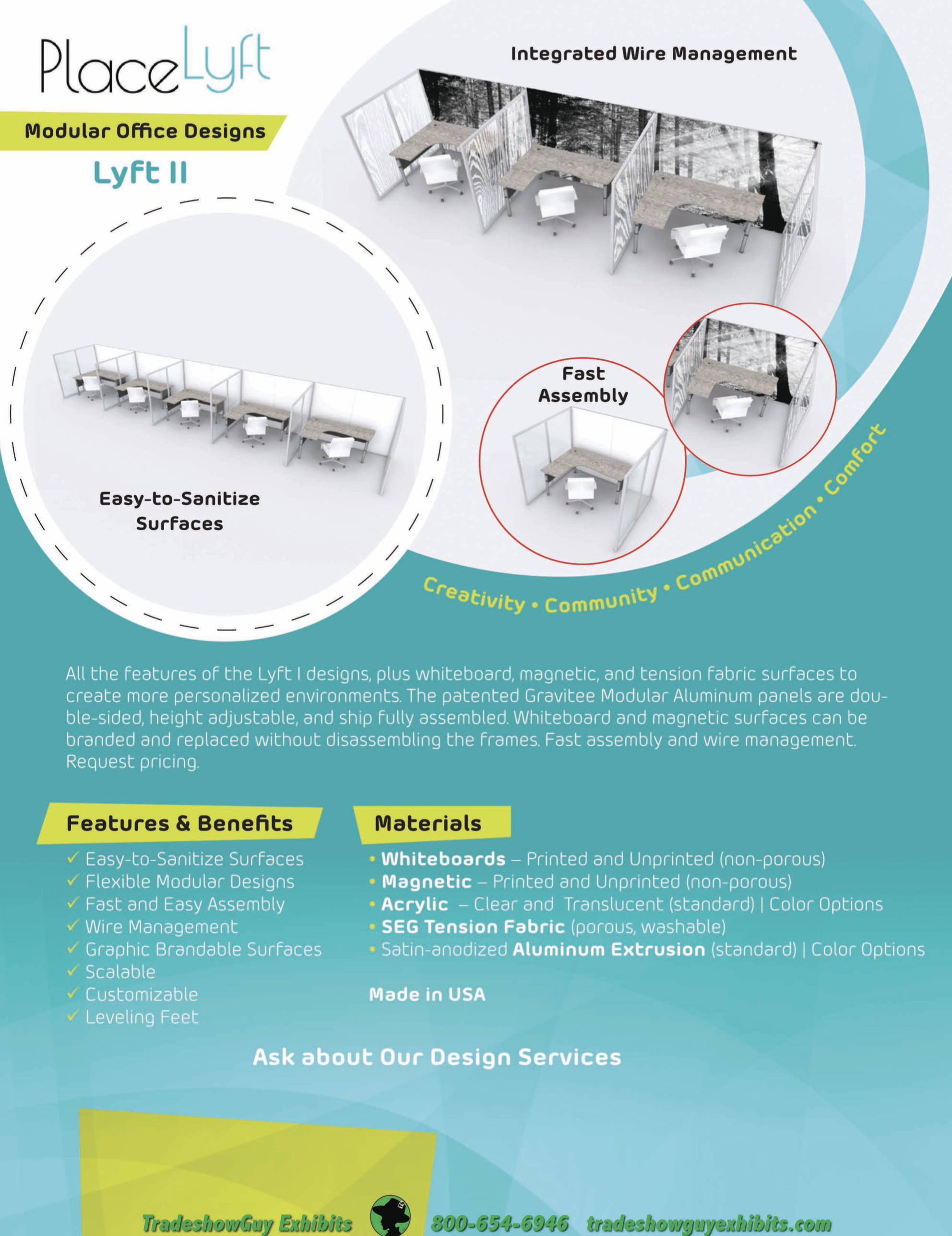
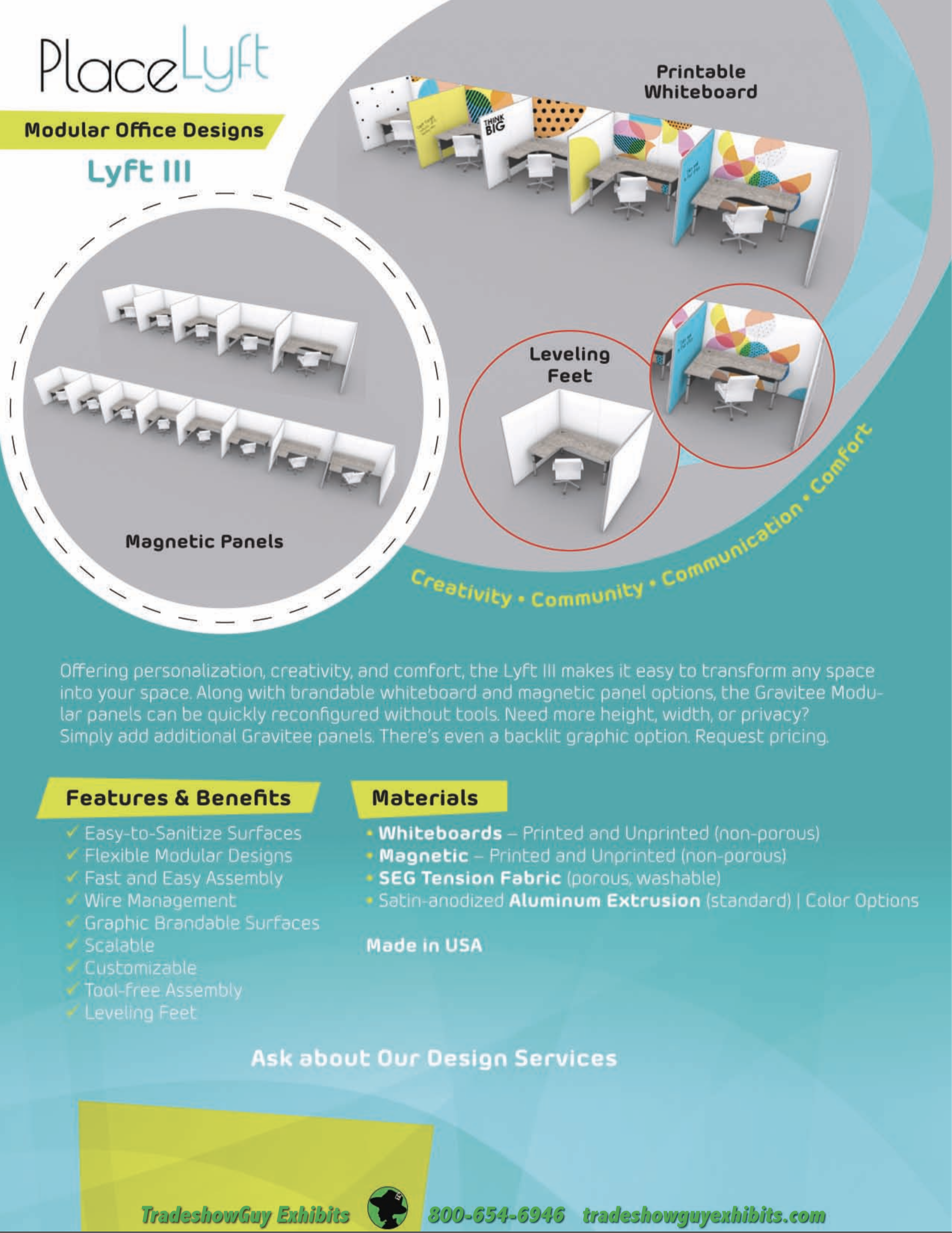
You may not be surprised to learn that what works to build a great, easy-to set-up and dismantle exhibit also works to form functional and efficient office dividers, or if you like, office pods. The manufacturer we most often work with, Classic Exhibits in Portland, has been working with architects and space planners for several weeks now to come up with appropriate office dividers at a competitive price.
They’ve even named the product PlaceLyft and have a number of options that range from simple and economical to more complex. Lyft One, Lyft Two, Lyft Three and Custom Solutions. Here at TradeshowGuy Exhibits, we have at least fifteen years of working hand-in-hand with Classic Exhibits, so we know the level of quality and commitment that they bring to any endeavor.
Cleaning the Dividers
Fabric or cloth-covered cubicle walls are difficult to clean. There’s no getting around that. How would that work? Steam-cleaning? Time-consuming and perhaps not that effective. But when faced with cleaning various optional divider materials with these Office Pods, all are easy to clean:
Sintra and Dibond: a clean look available in many color options. You can print to it if you want. Both are easy to clean; just spray and wipe it down.
Grease board (dibond): metal versions as well as standard which you can put magnets on. Available in at least eight standard colors.
Acrylics: available in clear or color. Some of the acrylics are not suitable for frequent cleaning, so the right cleaner is needed. Peroxide based cleaners are best for Acrylics.
Learn More
These panels have a lot going for them: adjustable wire management, adjustable feet for leveling and running wire underneath, custom heights, option to put a thin panel in the middle of the Gravitee frame for potential sound-proofing, removable fabric graphics that are easily laundered for cleaning and much more.
We have a number of informational sell sheets available on the Office Pods here. Take a look and please contact us for more information if you have questions.
What day is it? Are you counting how many days since you’ve been on shelter-at-home protocols? Or are you in a state that has abandoned all attempts to limit the spread of COVID-19 and things are getting back to normal? Which begs the question: what is normal?
This week on TradeshowGuy Monday Morning Coffee, I caught up with Dale Obrochta of PutATwistOnIt.com, who’s been a previous guest on this show. We talked about the challenges his profession is facing in the new normal.
Now, we can certainly agree that a lot of activities can pump up your lead generation numbers. But when it comes to things that are (almost) foolproof, here are the top five that come to mind for me.
Professional presenter
Interactivity + follow up
Hands-on demo
Pre-show marketing / appointments
Trained booth staff
Let’s agree that on the tradeshow floor, you don’t have total control. You can’t control how many people find your booth, you can’t control the organization that’s promoting the show, you can’t control your attendees and so on. Which means that no matter what you do, you may still fall short.
But.
Having a professional presenter, one that really knows their stuff and how to present your company to your attendees, over and over, several times a day throughout the show, is often seen as one of the surefire solid ways to get more leads. Just make sure your booth staff is ready for the influx of people and know how to handle them before they get away when the presenter is done.
Interactivity + follow up. Interactivity can mean a lot of things, but for the sake of argument, let’s narrow it down to something that relates specifically to your product or service.
Hands-on Demo. Perhaps slightly different than interactivity, this is an actual demonstration where your booth visitor actually, physically, learns a little more about your product. Say, a software demonstration, or a class in the booth space that teaches while they have their hands on the product.
Pre-show marketing / appointments. Setting appointments prior to the show, getting the one-on-one meetings on to a prospect’s calendar, is often the best way to ensure you have an audience of one that is focused on your message.
Trained booth staff. How important is a trained booth staffer? Probably the most important thing you have going for you other than your actual products and services. Worth their weight in gold. Make sure your staffers know how to answer questions, capture contact info, do a demo, put on a smile, and act appropriately in the booth (no phone in their hands, no eating, and so on).
There are dozens of other things you can do, but these are the top five in my book.
Here on Star Wars Day (May the Fourth be With You!) I spend a few moments on discussing working from home, and how things have changed – and haven’t – in the COVID-19 Pandemic.
Working from home these days, but still having to attend virtual meetings? Been there, done that. In fact, I’ve used Zoom to record interviews for my vlog/podcast for nearly four years. It’s not always perfect, in fact, usually far from it. But you can do a few things to make it much better, both for yourself and other meeting attendees.
One on one meetings
These are the simplest, as you might imagine. The main goal is to have a well-lit image and to have sound that is easy to understand.
Video: lighting is probably not critical on small intimate meetings. Not a big deal. But if you want better lighting, experiment. Some people like to go all out and purchase lights, such as ring lights, and get a green screen for a background so they can put up a fantastic scene behind them. Not that important. Cool, maybe, but in a sense it’s a distraction. Natural light usually works best, unless its backlight. If you are sitting in front of a window with daylight coming through, and your face is not well-lit, your meeting guest will see you almost as a silhouette. Close the blinds and get some light on your face.
Audio: If you can avoid using the microphone on your laptop or desktop, do it. I use a USB microphone with its own headphone plug. That way I get a good sound both for the recording and for the guest. If I can get the guest to use something other than their laptop microphone, their sound will usually improve. Not everyone has, or wants, a USB microphone, so you have to make do with what’s available. Often the sound from AirPods or the microphone from a pair of earbuds works well. Or at least better than the sound from a laptop microphone. The other downside of using the built-in microphone and speakers from a laptop is that the sound your guest hears isn’t as good as it might be with headphones of some sort.
One-on-Many Meetings
If you’ve got a meeting with more than a dozen or so people, know where your MUTE button is. It’ll come in handy when some guest has a barking dog nearby, or a train going by, or someone with a leaf blower outside their window. And yes, it’ll happen.
Mute yourself as well, when it’s not your turn to talk.
More Tips and Tools
Wirecutter’s article Use Zoom Like A Pro includes a lot of other items such as screen sharing, silencing desktop notifications, Zoom’s scheduling features, and keeping unwanted guests out of meetings. Lots of good tips here, worth a read.
Other Things to Remember
I upgraded to the latest version of Zoom in the past few weeks and was caught off guard with a new feature: the waiting room. It took me a few moments to realize that I had to manually allow guests into the Zoom room, when prior to that a new guest just showed up with video and audio on.
Also, when you log in now, you’re asked to join the audio. It’s a button at the lower left side of the app. If you don’t do that, other people won’t be able to hear you and they’ll just have to wave at you until you figure it out.
Keep pets and children out of the room. Yeah, right. Not always possible. But let other household members know that you’ve got a Zoom meeting coming up and need the space and time to make it happen.
We’re all in a quandary: what to do to work our way through the Coronavirus COVID-19 Pandemic and still work with clients in a meaningful way. For this week’s TradeshowGuy Monday Morning Coffee, I caught up with two busy marketers, one in the tradeshow world, and one not.
Ken Newman of Magnet Productions and Robert Middleton of Action Plan Marketing agreed to sit down with me one-on-one in Zoom meetings. I was curious to get their take on what to do and how to approach the current unprecedented situation.
WFH. Stay at home. Shelter at home. Essential businesses only. Restaurants closed. Event industry shuttered.
Are you staying in touch with your clients? Are you doing any outreach to prospects or have you just put it all on hold?
No one answer fits everyone as we are all dealing with the Coronavirus COVID-19 Pandemic in different ways. We’re all in a different situation: some of us have worked at home for years but find that their clients are no longer as easy to connect with. Some of us have been furloughed indefinitely. Some of us have been able to collect unemployment, others are catching up with projects at home.
But the question arises: how do you let your clients and prospects know that you’re thinking of them? Sure, you can schedule a Zoom call, and maybe you should. You can send an email. You can pick up the phone.
But what if you took it one step further? I thought about the question and reached out to two promotional products professionals for ideas on what kinds of branded items might be appropriate to send to contacts to let them really know that you haven’t forgotten them.
Let’s start with Rama Beerfas of Lev Promotions in Southern California, who was a podcast guest in the past month or so. She offered several items that she felt would be worth considering:
Mini gourmet cookies
LED reading light with wireless charging
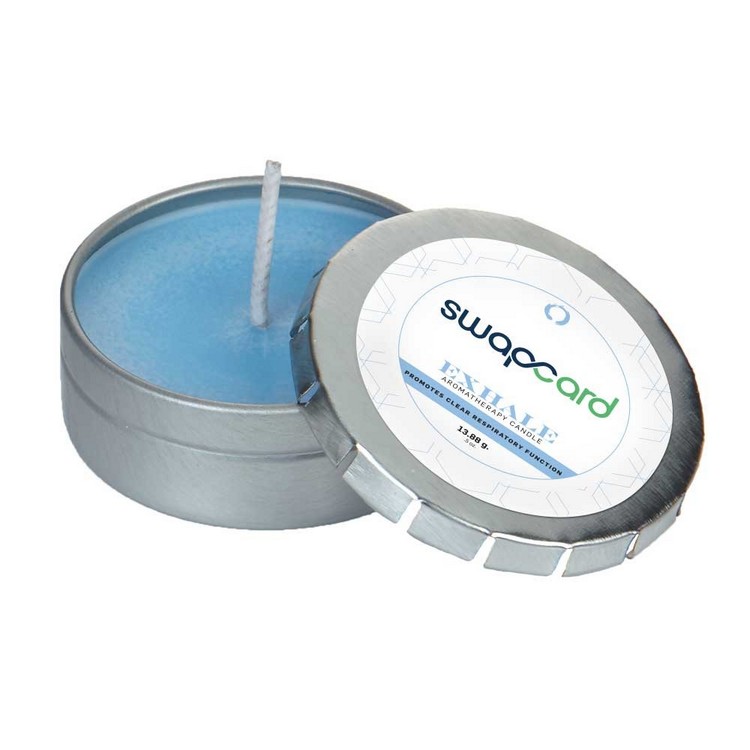
Aromatherapy candle in push tin
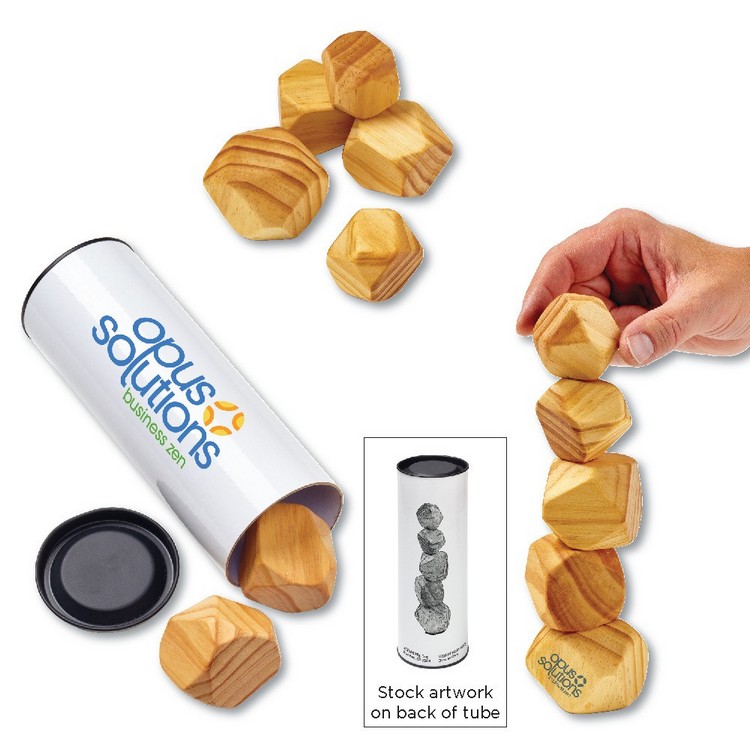
Wooden Stacking Zen Stones
Wooden Massager with Textured Wheels
Soft Touch Velura Throw
Earbuds
Ceramic Mug
Custom trail mix
Gummy bears
Smoked Almonds in Gift Box
Bubbles
Shake-a-Word game
Pick-up Sticks in Wooden Box
Oval Deck of Cards in Plastic holder
In other words, lots of good ideas for the WFM colleague. Check out the whole list with images and pricing breakdowns here.
Nicole Titus of Ipsenault Company based in Salem, Oregon came up with several ideas:
A box filled with movie night treats
Stainless wine tumblers with a message to take part in an on-line happy hour sometime in the future
A bag of coffee/mug set with a message to schedule a phone meeting
Adult coloring books and kid coloring books (as well as sidewalk chalk) to give families something to do while stuck at home (these are not very expensive so it’s a little trickier getting them to individual recipients).
Seed packets or other gardening-themed items (especially as we’re entering Spring)
Fitness products (for stay-at-home workouts)
Imprinted face masks (there are a few companies doing imprinted ones now)
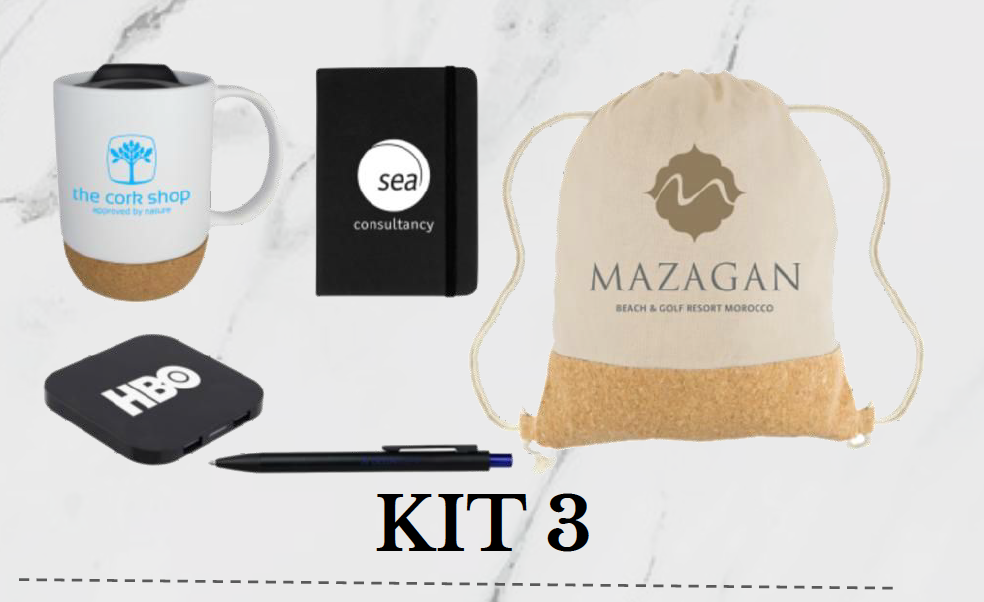
She also referenced a number of stay-at-home kits that some of the production companies she works with have put together, including:
Business Travel kit: shampoo bottle, soap, toothbrush, toothpaste, tissue pack, comb and ear plugs.
Chill-at-Home Work Kit: Eco Carrying Bag, ceramic mug, silver stylus pen, USB fan, rubber coaster
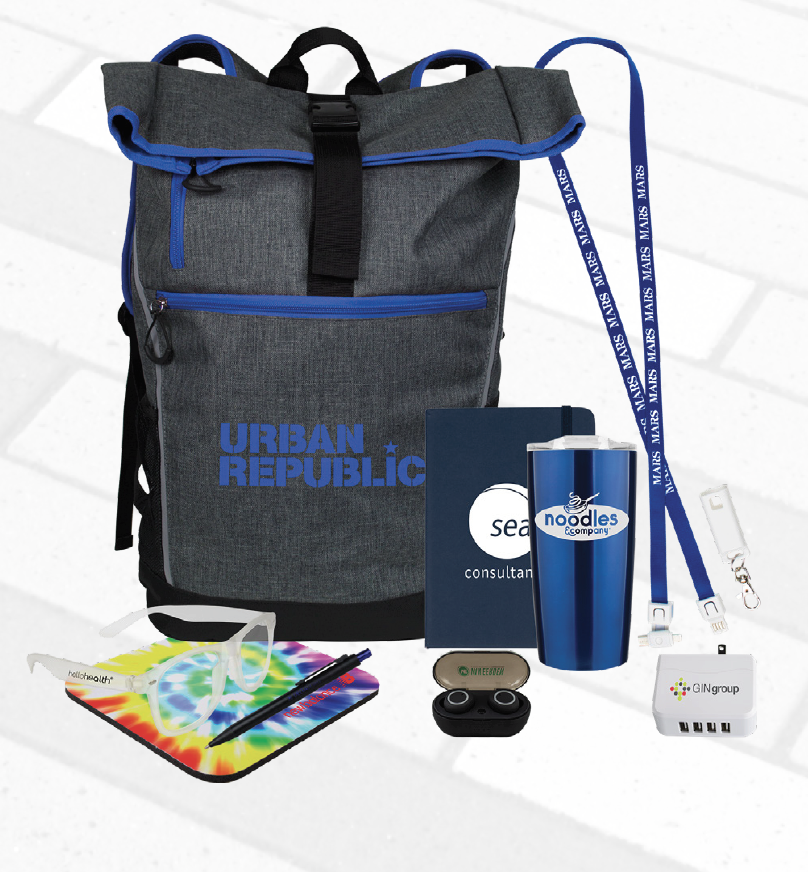
Home Office Kit: Eco-Carry shopping bag, spiral paper notebook, wireless earbuds, blue light blocking glasses, mouse pad, microfiber cleaning cloth, vacuum insulated tumbler, metallic gripper pen.
All of these items can be imprinted with your logo, and of course pricing can range from low and modest to high. It all depends on your budget and what kind of impression you’d like to make.
The Coronavirus COVID-19 pandemic is monkey-wrenching so many things, it’s hard to keep track. One of the challenges that some people might face could include having to deal with a major home or business issue having to do with the building they live in or work out of.
On this week’s TradeshowGuy Monday Morning Coffee, we get a little away from the event and tradeshow world, to a more general home and business approach. Garrett Greenberg of Fortifi Financial works with a real estate program that is specifically designed to loan money based on the equity in the property, not on the home owner or business owner’s credit score or income. For example, a leaky roof or a cracked foundation may get worse over time if they aren’t dealt with. Garrett explains how it all works.